Merchants & Raffles
Understanding Raffles on Faith Alliances
Introduction
Faith Alliances provides a platform where merchants can run raffle campaigns for the community. These raffles allow users to participate in prize-based activities while supporting social causes through donations.
This page explains what a raffle is, how raffles work within the Faith Alliances ecosystem, and who is responsible for creating them.What is a Raffle?
A raffle is a prize-based campaign where participants enter for a chance to win a reward using tickets.
On the Faith Alliances platform, users receive raffle tickets through donations. This means that users must first make a donation in order to obtain tickets that can be used to participate in a raffle.
Each ticket represents an entry into the raffle, increasing the participant’s chance of winning a prize.Who Creates the Raffles?
Faith Alliances does not directly create or provide raffles.
Instead, raffles are created and managed by merchants who use the Faith Alliances platform to run their campaigns.
Merchants are responsible for:creating the raffle
defining the raffle rules
selecting the prize
determining the number of winners
configuring the campaign settings
choosing the winner(s)
Faith Alliances provides the platform that enables merchants to launch these campaigns and connect with the community.
How Raffles Work on Faith Alliances
The raffle process on Faith Alliances generally follows these steps:A merchant creates a raffle campaign on the platform.
The merchant defines the prize and raffle rules.
Users make donations through the platform.
Users receive raffle tickets based on their donations.
Users use those tickets to participate in raffles.
Winners are determined according to the raffle mechanism configured by the merchant.
Key Roles in the Raffle Ecosystem
There are two main roles involved in the raffle system:Merchants
Merchants are organizations, brands, or partners that create raffle campaigns and provide prizes.Users
Users participate in raffles by making donations and using the tickets they receive to join raffle campaigns.
Next Step
If you are interested in running your own raffle campaign, you must first become a Merchant Admin.The next section explains:
what a merchant is
how merchants use the platform
how to become a Merchant Admin
Merchants on Faith Alliances
Introduction
On the Faith Alliances platform, raffles are created and managed by merchants. Merchants play an important role in the raffle ecosystem by launching campaigns, offering prizes, and engaging with the community.
Before you can create a raffle, your account must first be activated as a Merchant Admin.
This section explains what a merchant is and how to request merchant access.What is a Merchant?
A merchant is an organization, brand, or partner that creates raffle campaigns on the Faith Alliances platform.
Merchants use the platform to run interactive campaigns by offering prizes that users can win through raffles.
A merchant is responsible for:creating raffle campaigns
defining raffle rules and mechanics
selecting prizes for participants
configuring campaign settings such as location, winners, and participation rules
By running raffles, merchants can engage with the community while supporting the donation-driven ecosystem of Faith Alliances.
What is a Merchant Raffle?
A merchant raffle is a raffle campaign created and managed by a merchant.
Through merchant raffles, merchants can launch campaigns that allow users to participate using raffle tickets obtained through donations.
Each merchant raffle can be customized based on the merchant’s campaign needs, including:raffle type
prize configuration
number of winners
campaign duration
participation rules
This flexibility allows merchants to design campaigns that fit their goals while engaging the Faith Alliances community.
Requirements to Become a Merchant
To create raffles on the platform, your account must first be approved as a Merchant Admin.
Before requesting merchant access, make sure you:have a registered Faith Alliances account
can access the Profile section in the application
Once approved, the Merchant menu will appear in your account, allowing you to start creating raffles.
How to Become a Merchant Admin
Before creating a raffle, your account must first be activated as a Merchant Admin. Follow the steps below to submit your request.Register and log in to your account
Create an account in the Faith Alliances app and log in.Open the Contact Us section
Go to the Profile menu, then select Contact Us.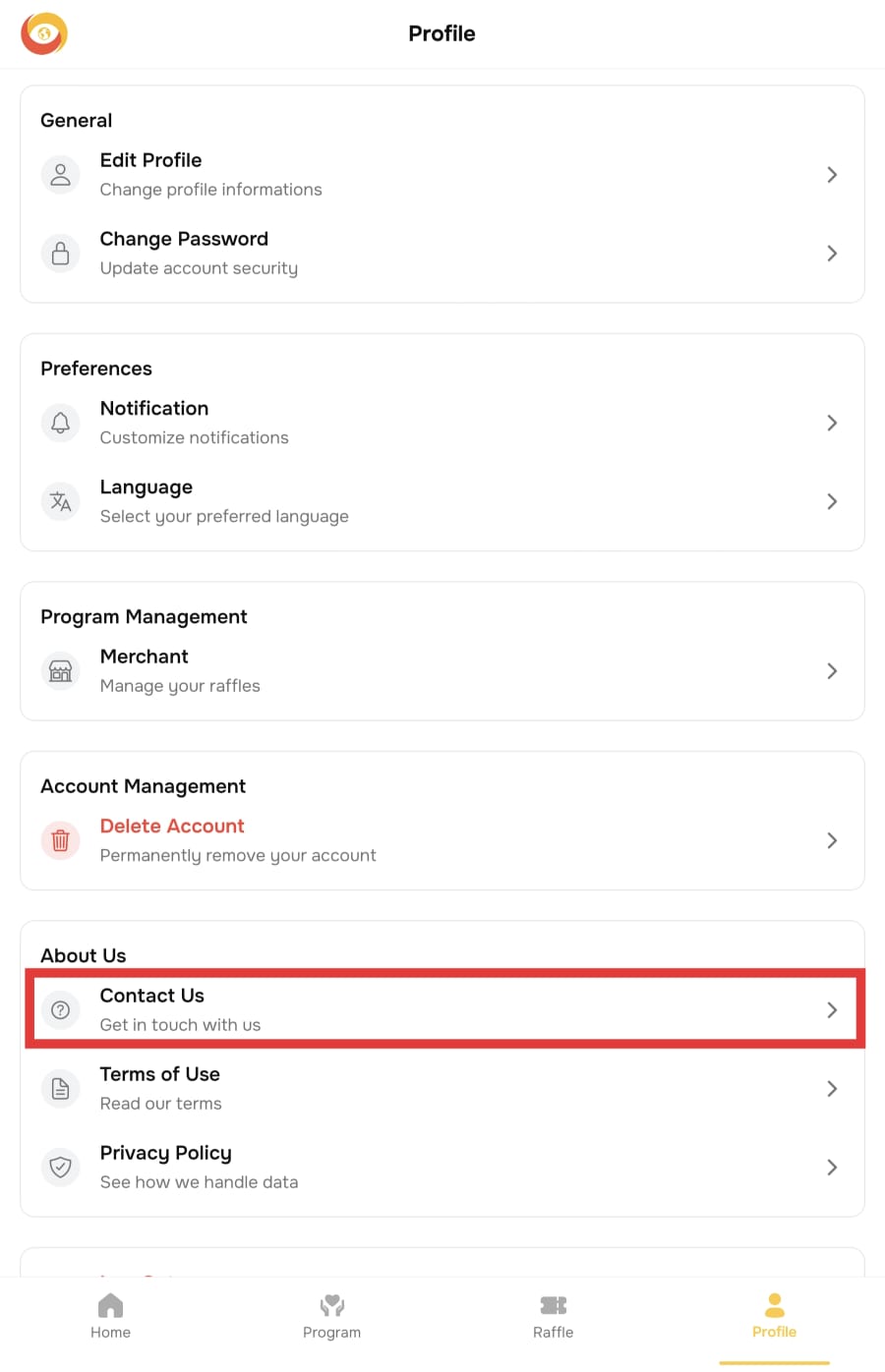
Submit a Merchant Admin request
Fill in the form and explain that you would like to become a Merchant Admin.Wait for admin confirmation
After submitting the request, the admin team will review it and contact you once your account has been activated as a Merchant Admin.Refresh the app
Once your account has been activated, refresh the app by pulling down on the Home menu.Check the Merchant menu
Go back to the Profile menu and check if the Merchant menu appears.
If it does not appear, try logging out and signing in again.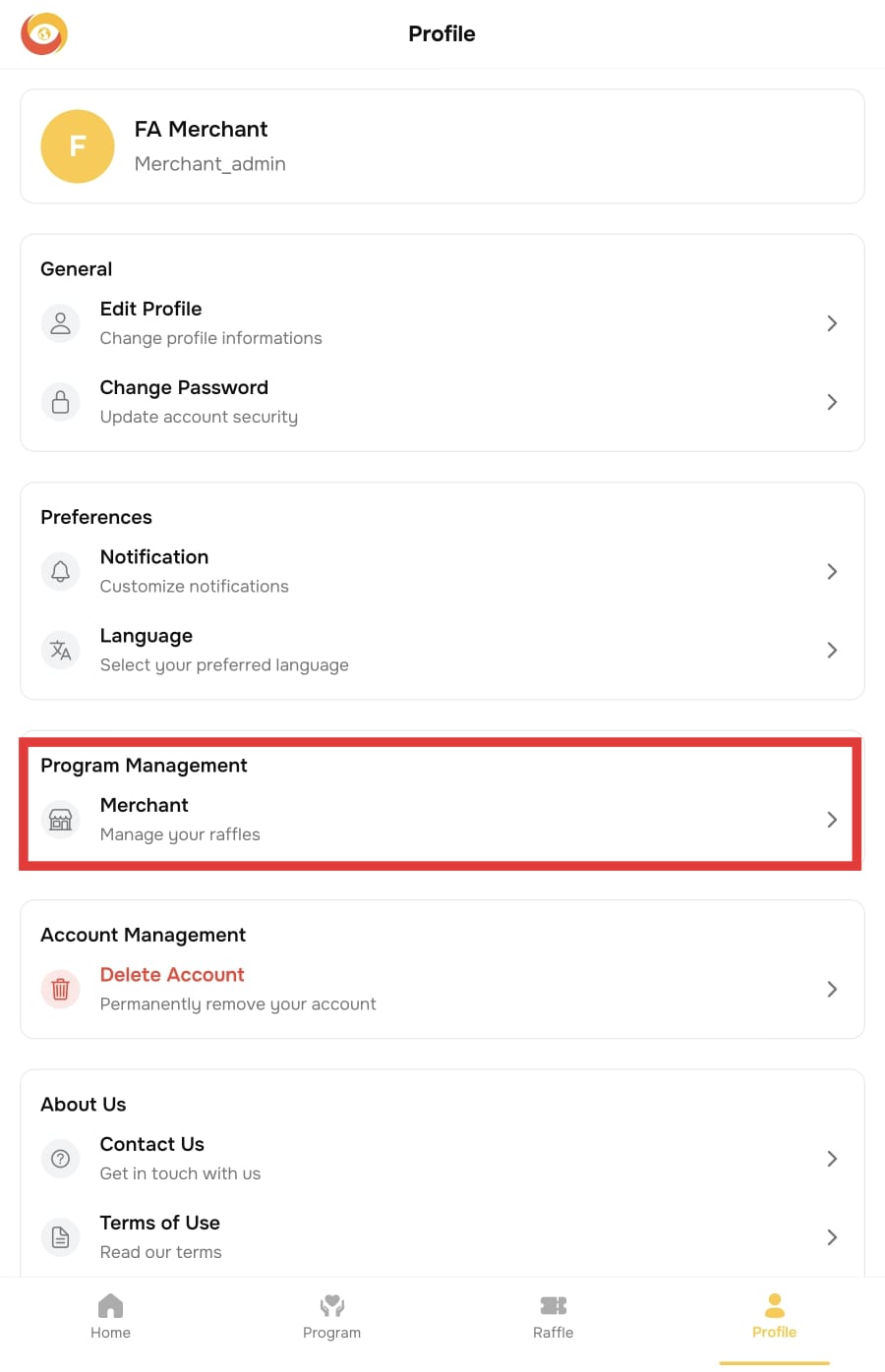
Start creating raffles
Once the Merchant menu is available, you can start creating and managing raffles from that menu.
Creating a Raffle
Introduction
Once your account has been approved as a Merchant Admin, you can start creating raffle campaigns on the Faith Alliances platform.
This section explains the steps required to create a raffle, configure its settings, and manage prizes for your campaign.Access the Merchant Menu
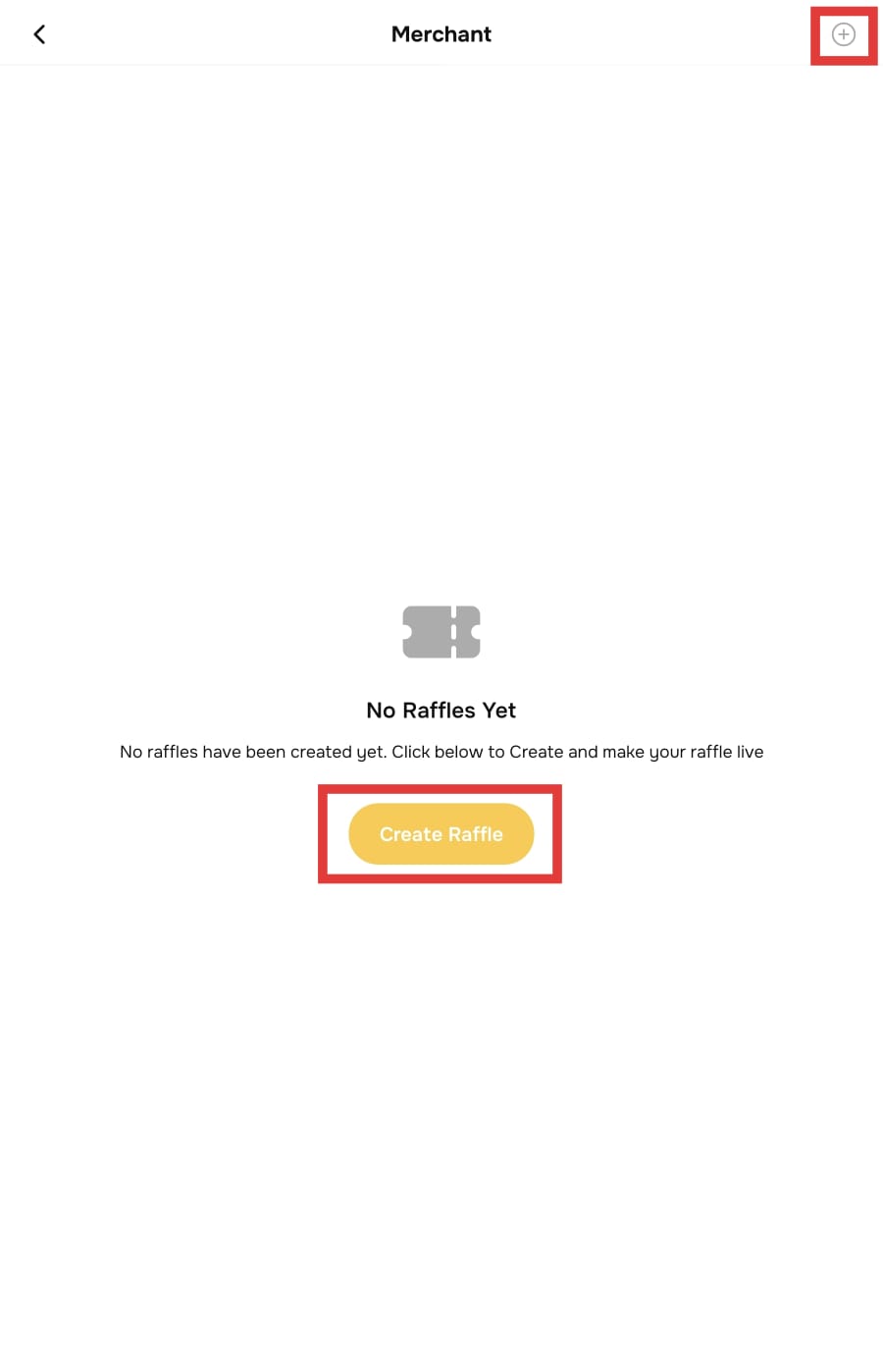
To create a raffle, first open the merchant dashboard.Open the Profile menu.
Under Program Management, select Merchant.
Click Create Raffle or select the plus (+) icon in the top-right corner.
Enter Basic Raffle Information
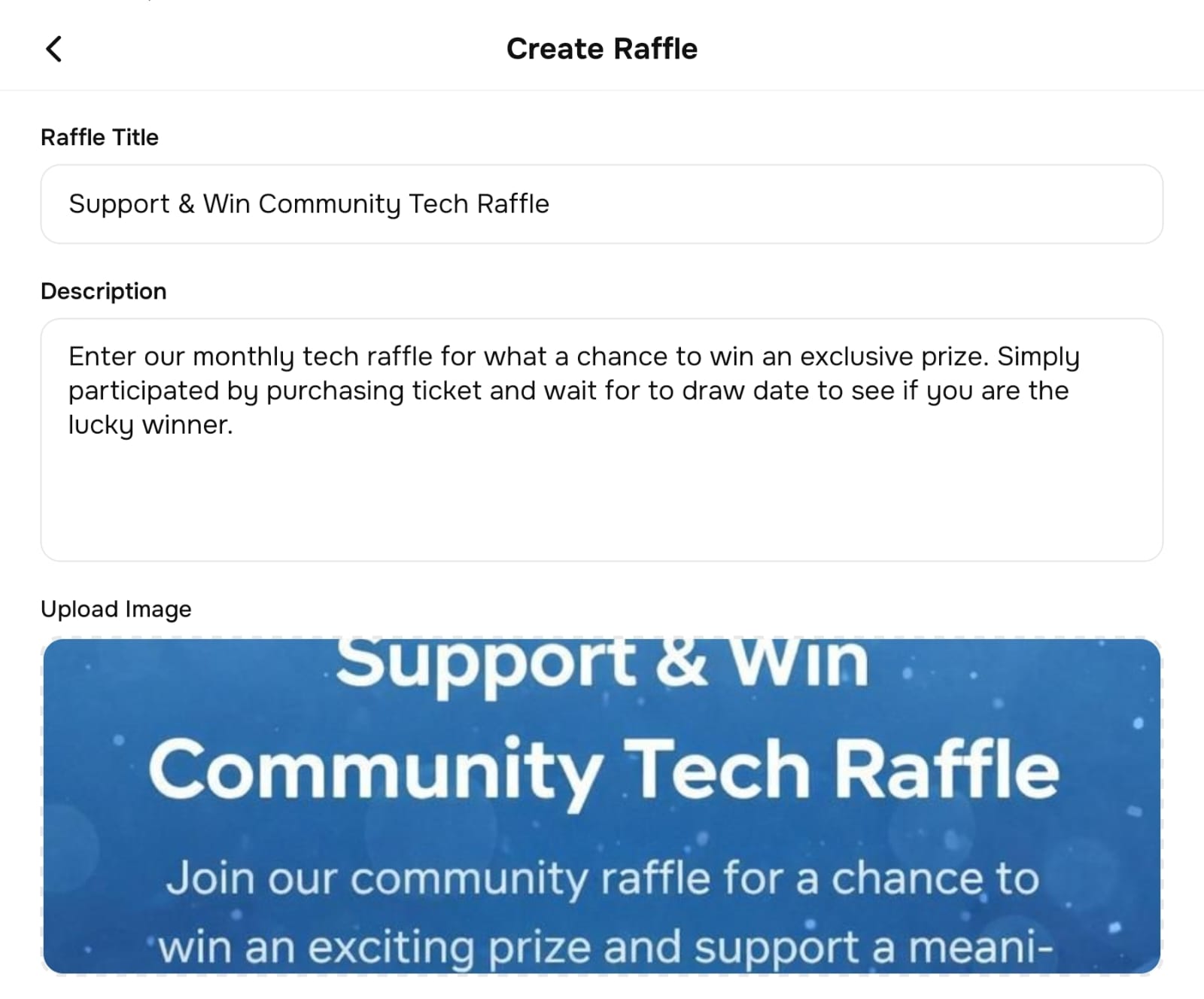
Start by entering the basic information for the raffle.
Fill in the following fields:Raffle Title
Description
Image
This information represents the main identity of the raffle and will be visible to users participating in the campaign.
Configure Main Raffle Settings
Next, configure the main raffle settings.
Complete the following fields:Raffle Type
Max Winners
Location Tags
Available Cities
Entry Cost (Ticket)
Overall Raffle Ticket Limit (Optional)
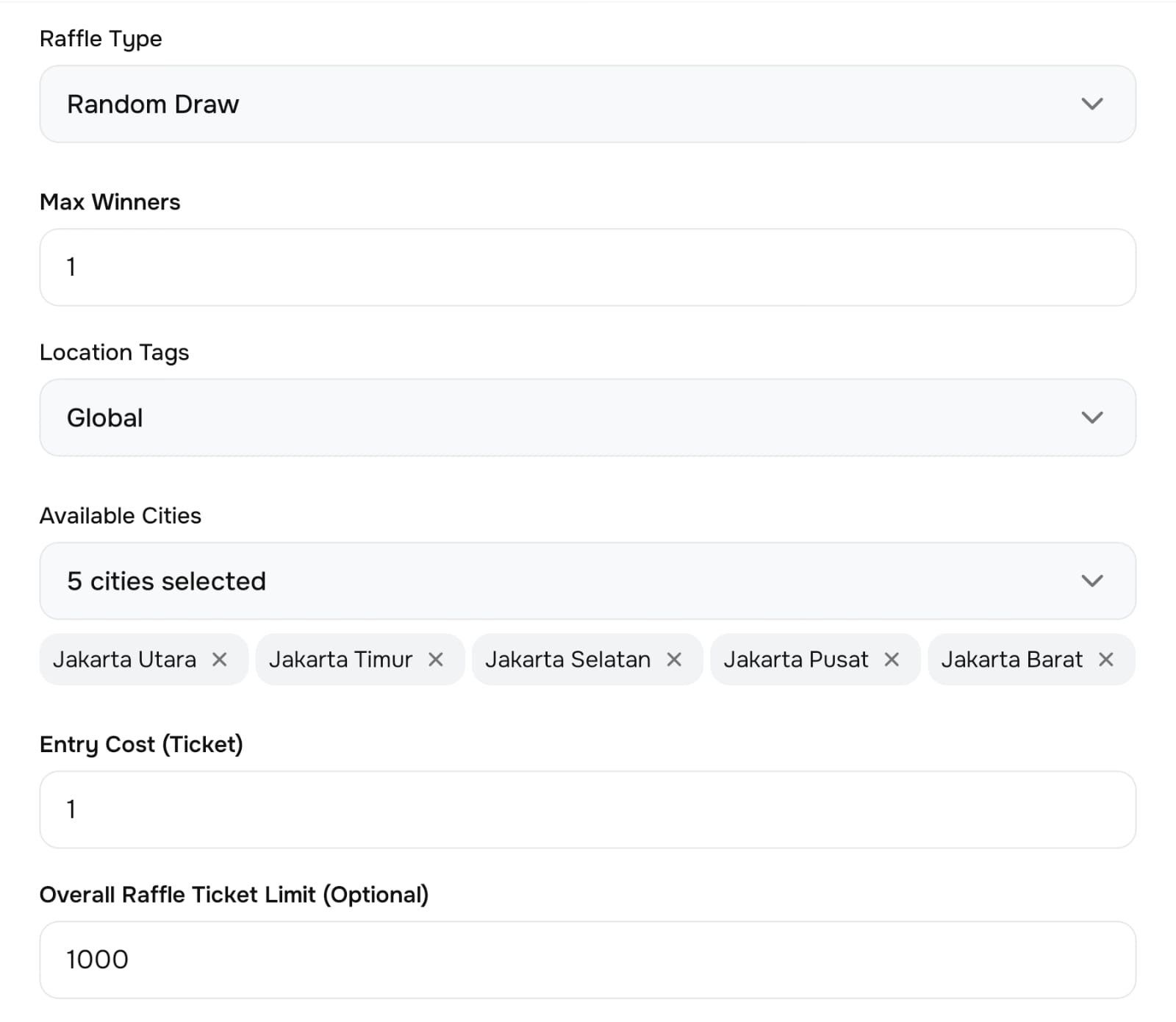
Raffle Type Explanation
Select the raffle type based on the campaign mechanism you want to use:Crypto Price
A raffle mechanism that is linked to cryptocurrency price conditions according to predefined rules.Random Draw
Winners are selected randomly from all eligible participants.Event Based
The raffle outcome is determined based on a specific event or condition defined in the campaign.Unique Number
Winners are determined based on a unique number assigned to each participant.
Location Tags Explanation
The Location Tags section is used to define the geographical coverage of the raffle.
You can choose:Global, if the raffle is available worldwide
Specific countries, if the raffle should only be available in selected countries
You may select one or multiple countries depending on your campaign needs.
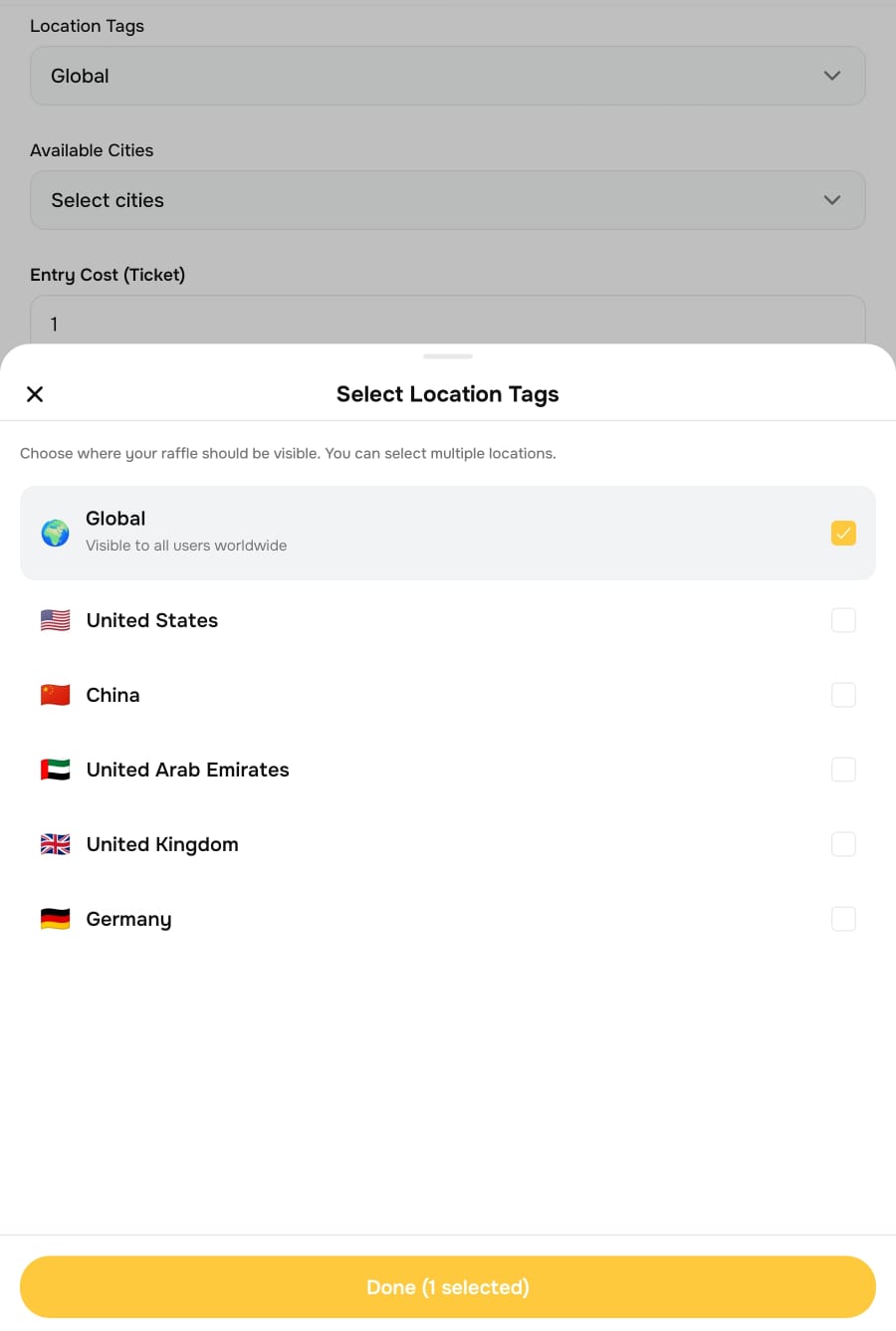
Available Cities Explanation
The Available Cities section allows you to limit the raffle to specific cities.
If needed, you can select one or multiple cities as the target area for the raffle..jpeg)
Configure Additional Raffle Settings
Complete the following settings:Tie Breaking Method
Exclusive Raffle
Configuration Prize
Claim Instruction
Terms and Conditions
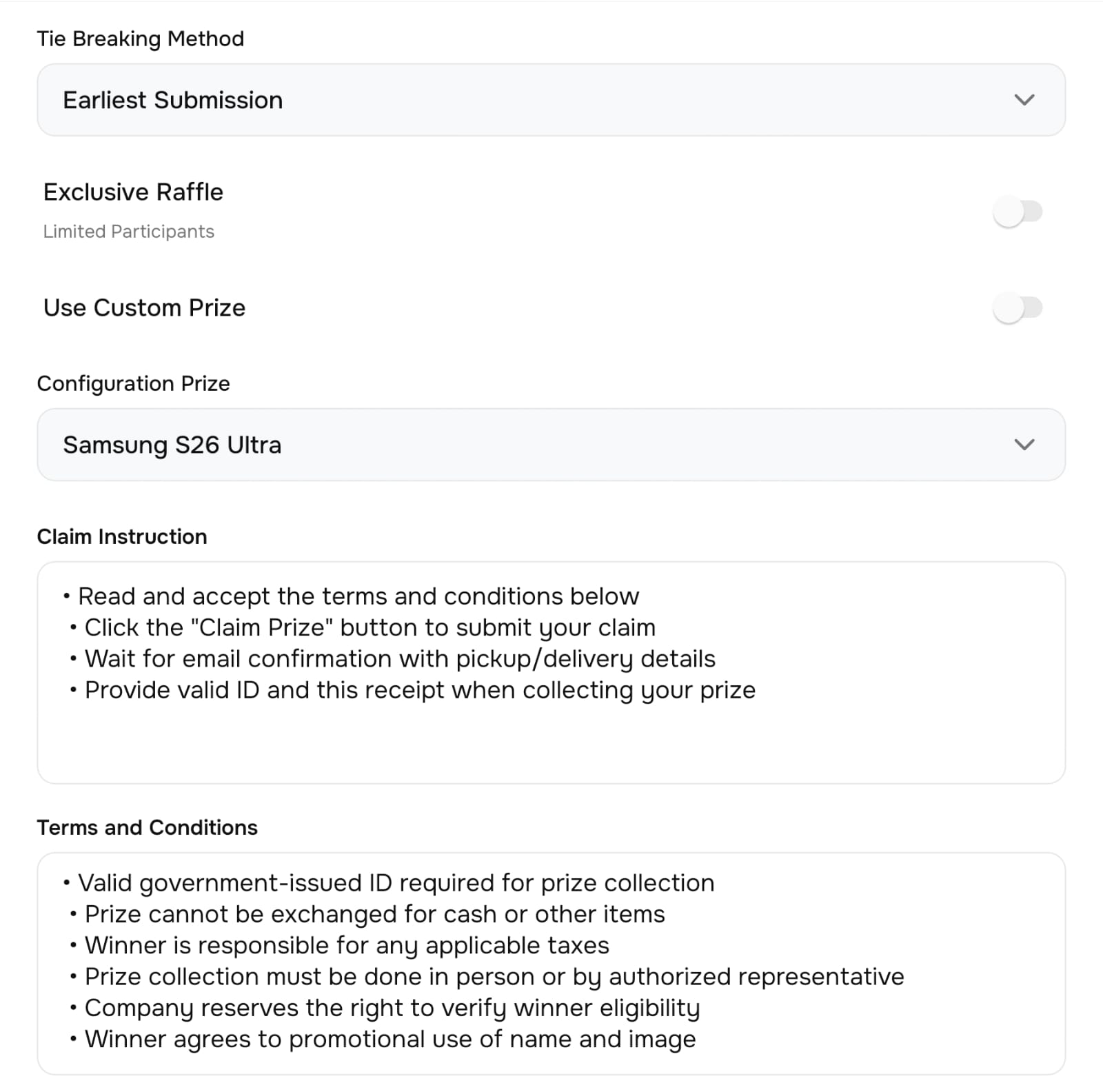
Tie Breaking Method Explanation
The Tie Breaking Method determines how a winner is selected when there is a tie or equal result among participants.
Available options:Earliest Submission
The winner is the participant who submitted their entry the earliest.Latest Submission
The winner is the participant who submitted their entry the latest.Random Selection
The winner is randomly selected among participants with the same result.Highest Tickets Spent
The winner is the participant who spent the highest number of tickets.
Exclusive Raffle Explanation
If the Exclusive Raffle feature is enabled, the raffle will be limited to a specific number of participants.
When this feature is activated, you must enter the allowed number of participants.Select the Prize
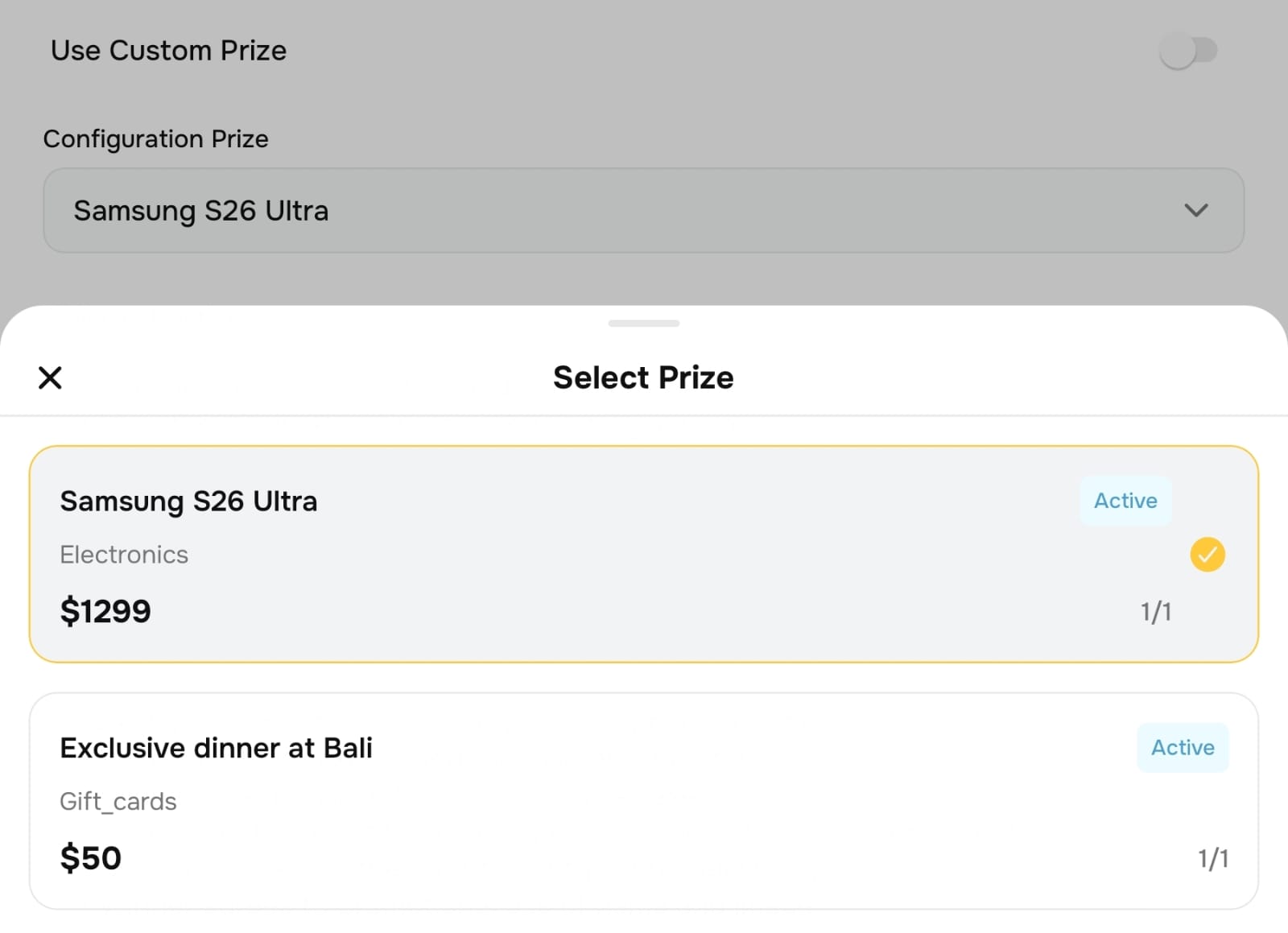
In the Prize section, you can choose between two options:Configuration Prize
Select a prize that has already been created in the system.Custom Prize
Create a prize directly in the raffle form by entering:Custom Prize Description
Custom Prize Value
Custom Claim Instruction (optional)
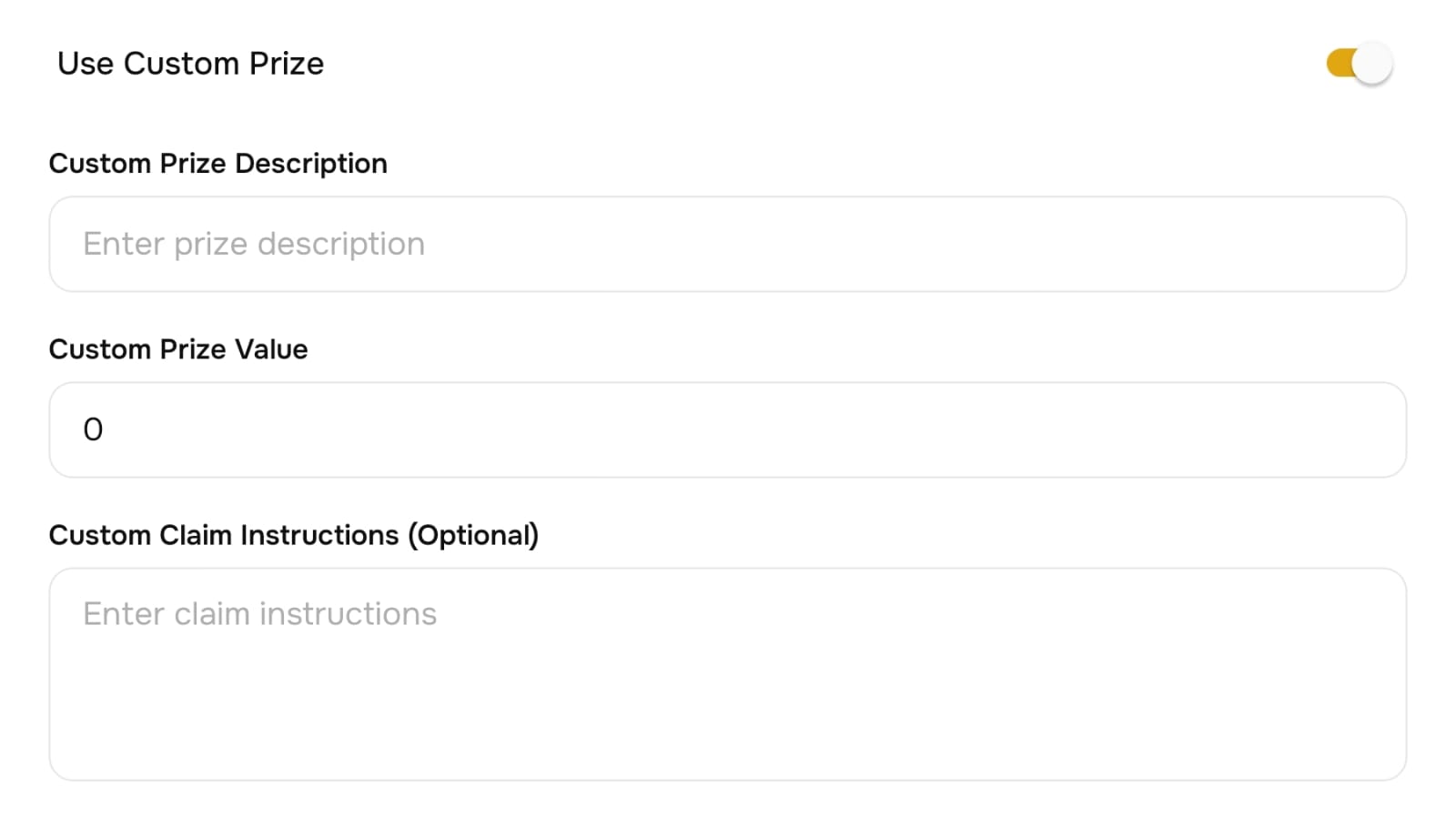
Submit the Raffle
Enable the necessary settings according to your raffle requirements, then click the Create button.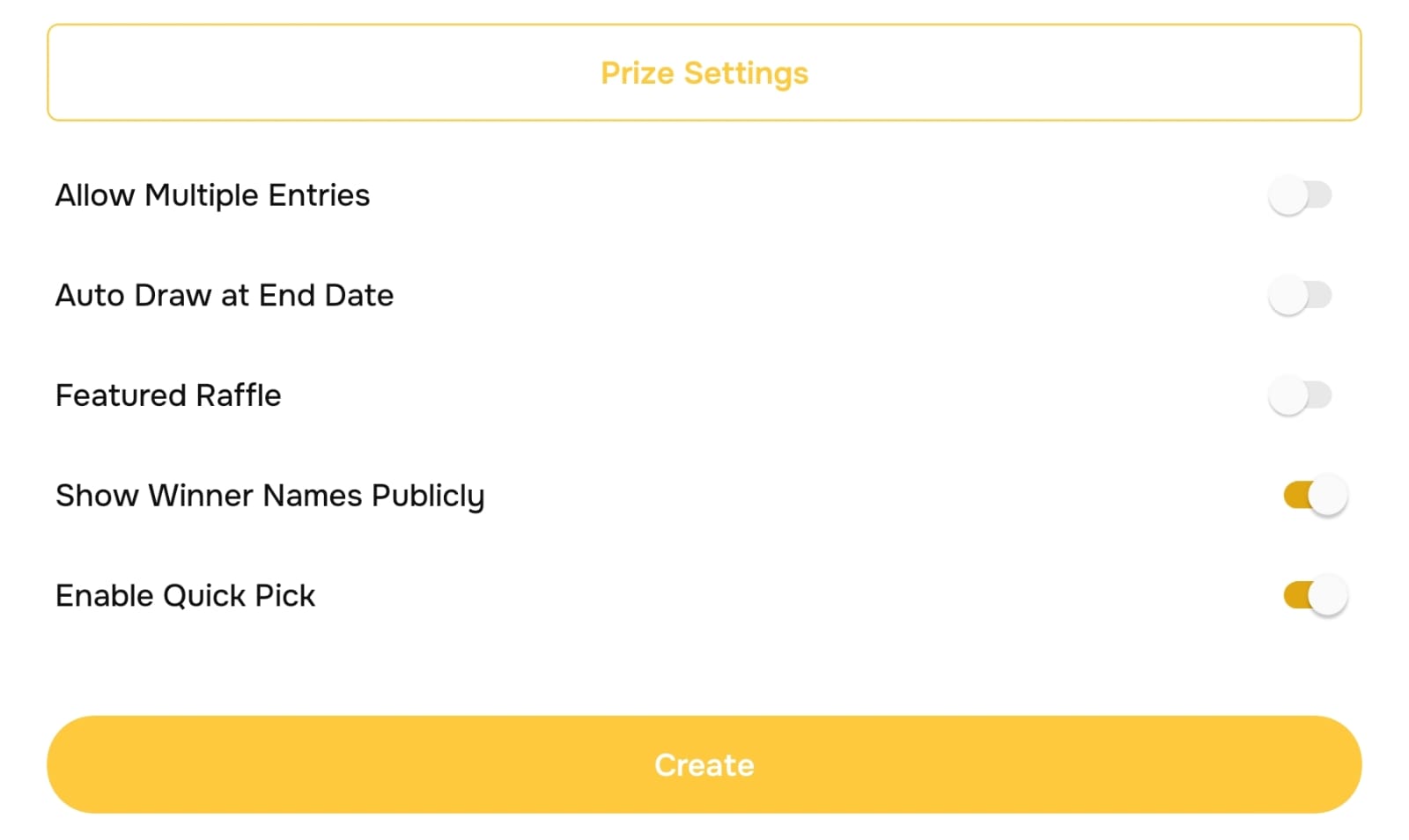
Raffle Approval Process
After submission, the raffle status will be Pending Approval.
The Faith Alliances team will review the raffle before it becomes active on the platform.How to Create a Configuration Prize
If you want to reuse prizes across multiple raffles, you can create a Configuration Prize.
StepsOpen the Prize Settings on the Merchant page.
Click Create Prize or the plus (+) icon.
Fill in the following prize information:
Prize Title
Category
Description
Image
Value in Dollar
Total Quantity
Claim Instructions
.jpeg)
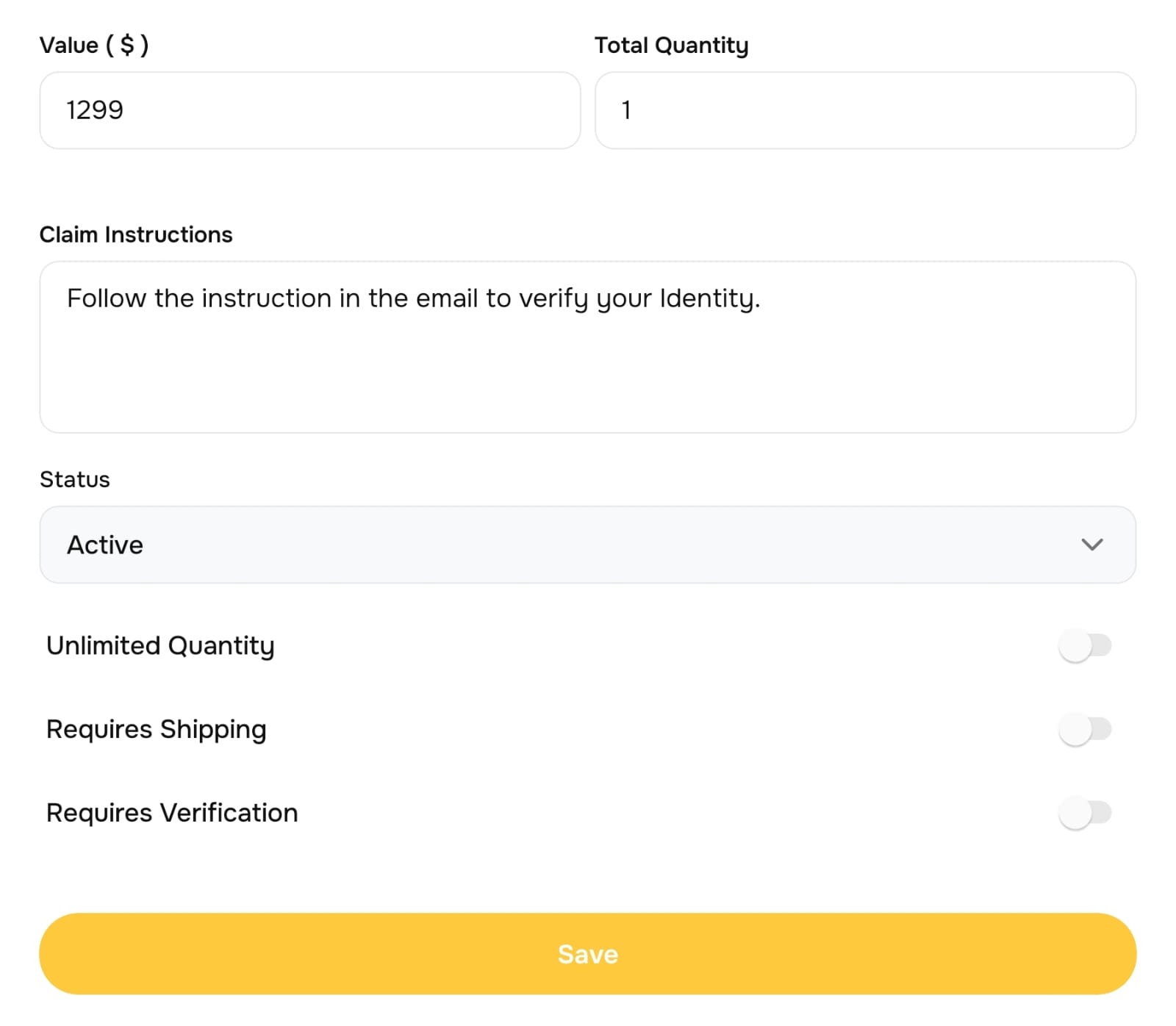
Once created, the prize will be available in the Configuration Prize dropdown when creating a raffle.
Checking Your Raffle
View Raffles
If your raffle has been approved and is active:Open the Raffle menu.
Your raffle will appear in the list of available raffles.
.jpeg)
View Raffle Details
Click on the raffle to view its detailed information.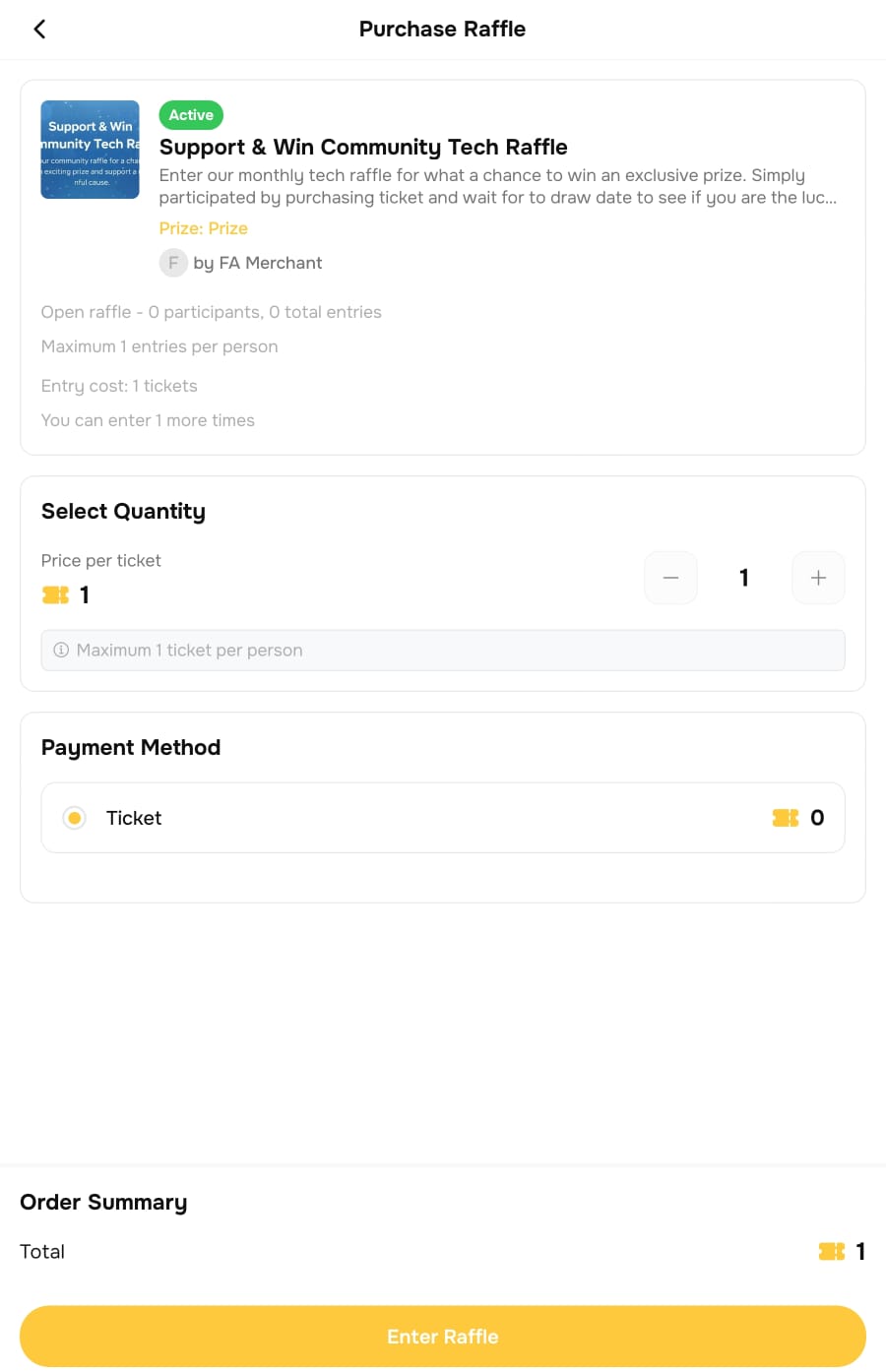
Important Note
Raffles cannot be edited once they are created.
Before clicking Create, make sure all information, settings, prizes, and terms are correct.
If you're trouble viewing click here